¶ Stripe Customer Payment Links
A guide on how to generate Stripe customer payment links using the Stripe on NetSuite integration
¶ Transactions
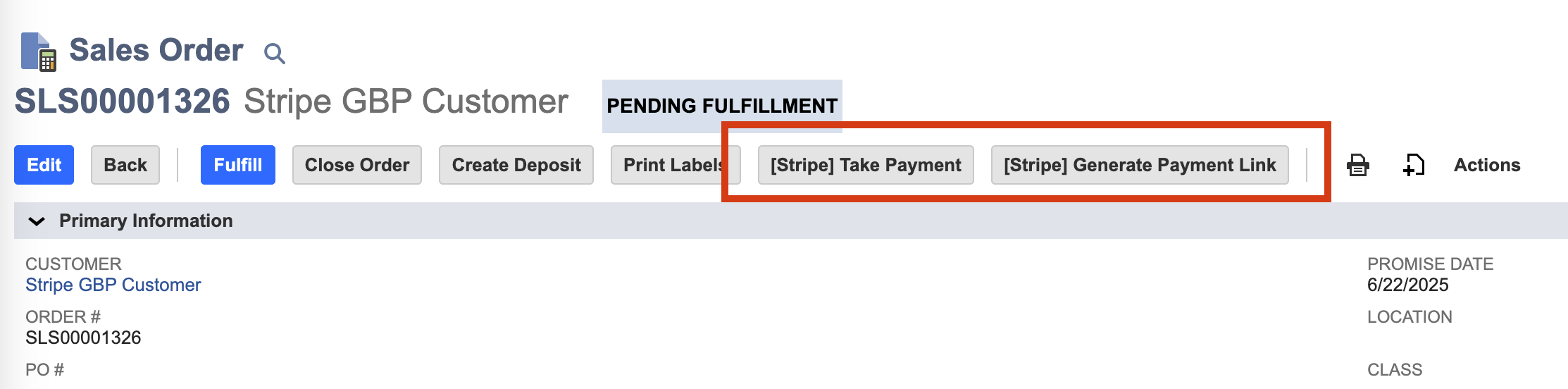
Transaction records such as sales orders, quotes and invoices, offer two buttons which enable the user to take Stripe payments
¶ Generate Payment Link
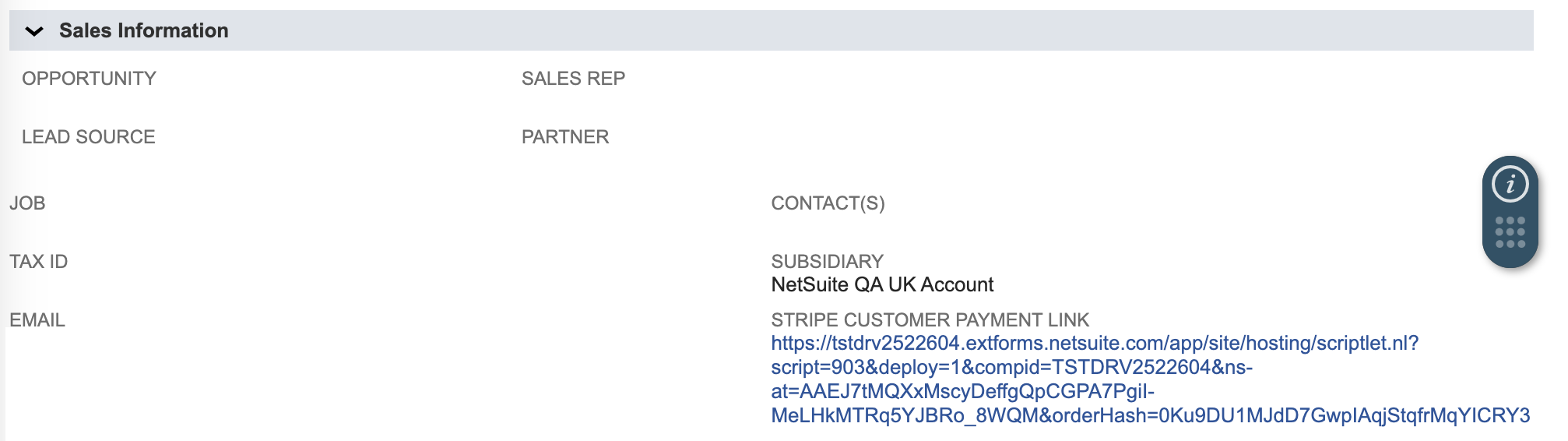
Clicking the [Stripe] Generate Payment Link button on transaction records will populate the field ‘Stripe Customer Payment Link’ with a payment link for customers
Payment Link
Stripe Customer Payment Form
The generated customer payment link will open in a new page and displays the following payment form:
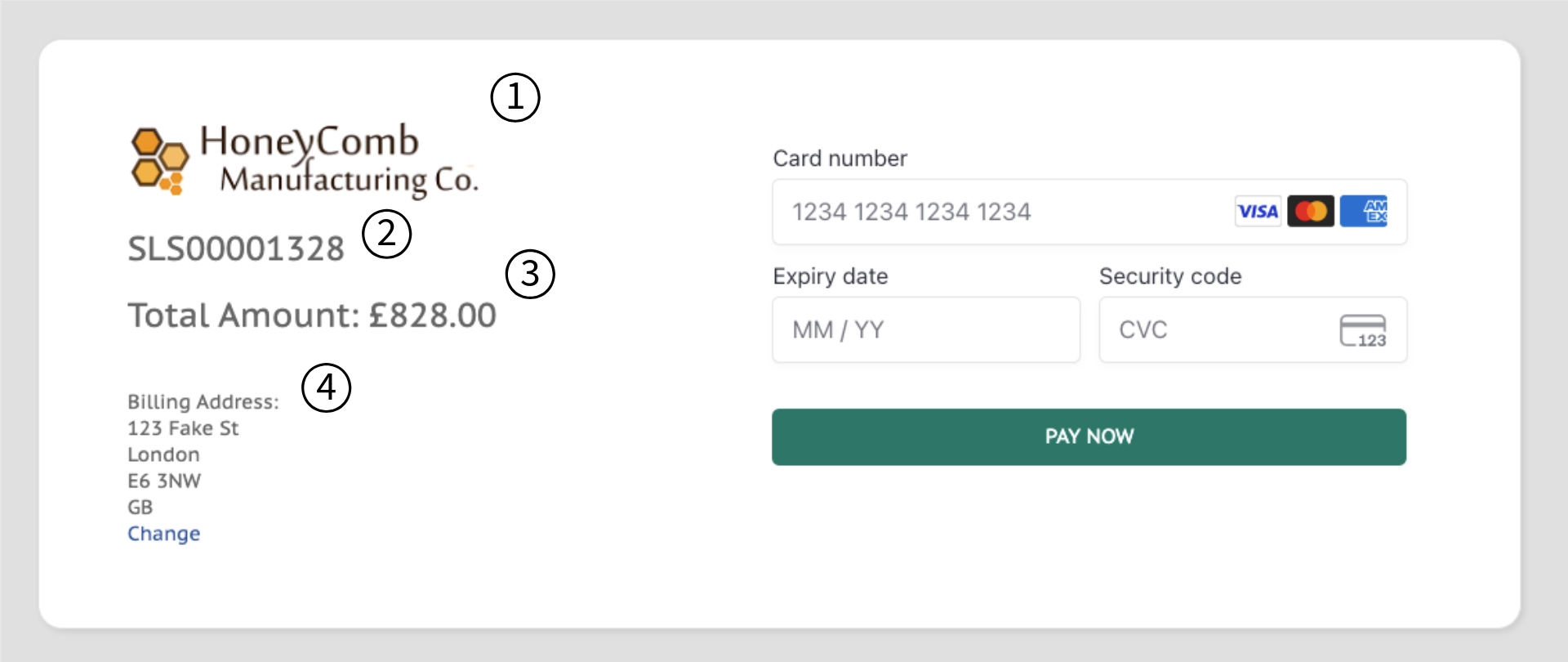
Form fields
- Company Logo
- NetSuite Transaction ID/Reference
- Total amount to pay*
- Customer's billing address
*This amount is looked up from the NetSuite transaction record's total amount
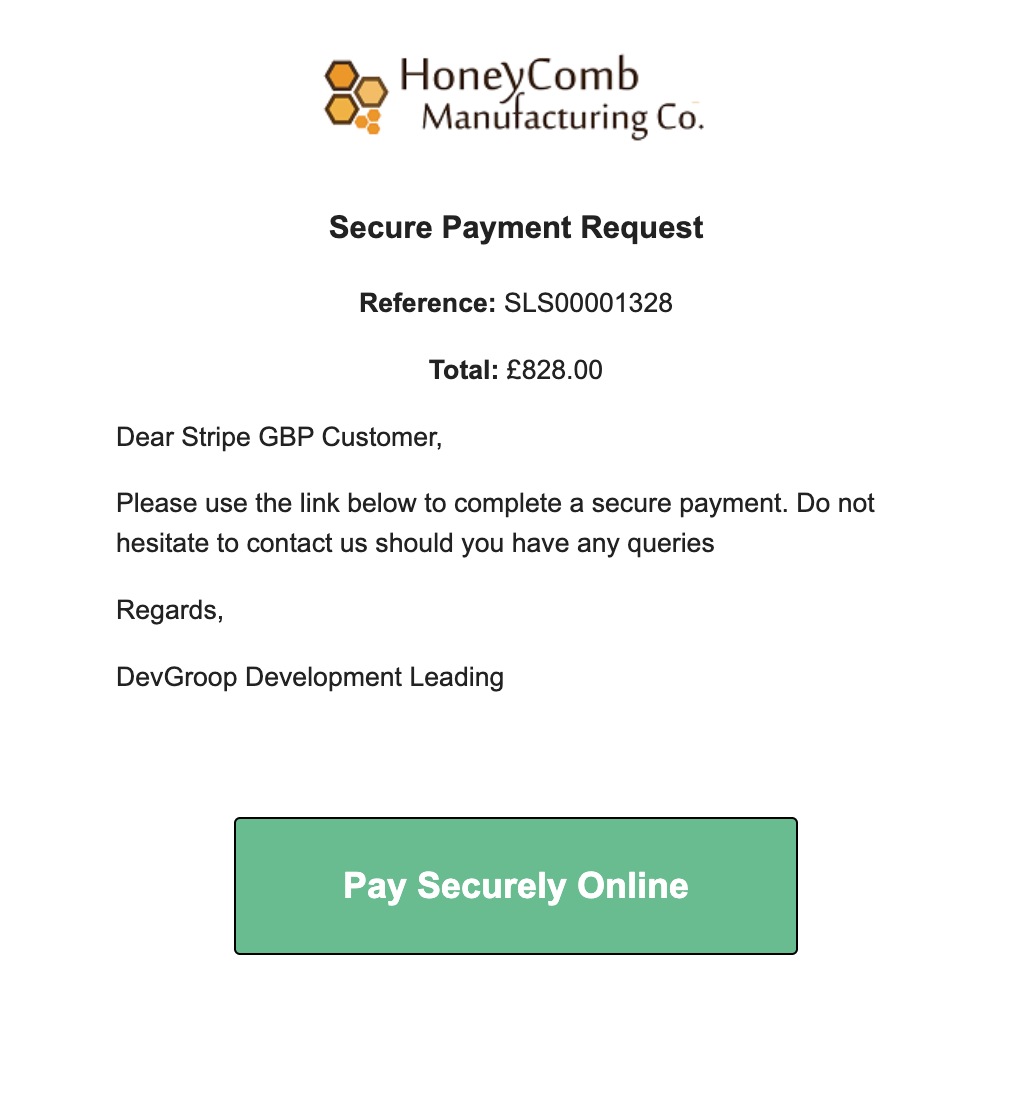
Payment Link Email
Once a payment link has been generated, an email will be sent to the customer with the link
Payment Confirmation
After making a successful payment, the payment form pop-up displays the following information:

Payment Confirmation Email
After a successful payment, a confirmation email will be sent to the customer